
GeoTagger Pro – Bulk Image Geotagging Tool
πŸ“Š
Image Stats
Total 0
Tagged 0
Selected 0
0% Tagged
πŸ—ΊοΈ Map Location
πŸ“€ Upload Images
Drop
JPG / HEIC / PNG / WebP
photos here
or
click to upload
βš™οΈ Output Format
Original Format
Convert to JPG
Convert to WebP
PNG files will use eXIf chunks. JPG files will use EXIF data. WebP files will use EXIF-VP8X. HEIC files will be converted to JPG with EXIF for maximum compatibility.
πŸ“ Metadata
πŸ’Ύ Download

Geotag Photos Online-Free, Fast, and Built for Results

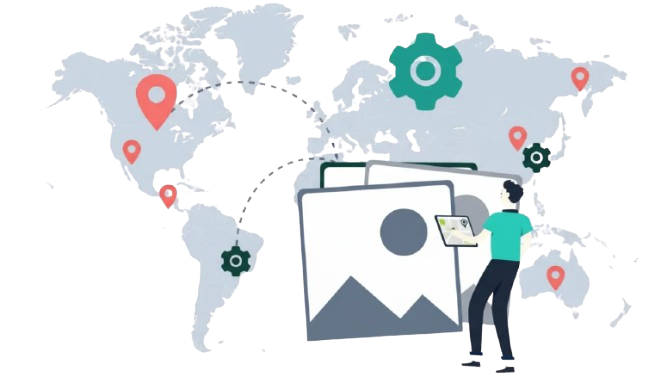
Add GPS coordinates to your photos in seconds with the most powerful free geo tagging tool online. Whether you need to geotag images for Google My Business, improve your local SEO, or simply add location metadata to existing photos, our tool makes it effortless. Upload single or multiple images at once, embed precise geo coordinates, and download your geotagged photos- no account needed, no limits, no cost. Unlike other geotagging tools that restrict bulk uploads or charge monthly fees, everything here is completely free. Start geotagging your photos today and give your images the location data they deserve.
  • Free Forever
  • Uptime 99.9%

Make Photo Geo Tagging Simple and Fast

Quickly add GPS location data to your images and create geo-tagged photos without complicated tools or technical steps.

Accurate Location Data

Easily attach precise GPS coordinates to your images. This helps search engines, maps, and platforms understand where your photos were taken, improving their location relevance.

Built for Speed and Simplicity

Our tool is designed to make geo tagging simple for everyone. Upload your photos, enter the coordinates, and download the updated images without complicated steps.

Perfect for Local SEO and Businesses

Geo tagged photos can help businesses strengthen their local presence online. Adding location data to images makes them more useful for location-based platforms and directories.

Why Our Tool

Geotag Images and Add GPS Data to Photos – Free, Always

Every business owner and SEO agency is focused on one thing: results. We know you want more customers and better rankings on Google Maps. That is why we built every feature you need, with no limits and no cost.

Geotag Your Images

Add the exact GPS location of your business or any area you want to target on Google Business Profile. Drop a pin on the map and embed precise coordinates directly into your image’s EXIF metadata.

Bulk Upload & Download

Stop processing photos one by one. Upload multiple images at once, apply geo coordinates across the whole batch, and download everything in a single click, saving hours every week.

JPEG & WebP Conversion

Geotag and convert your images in one step. Download as JPEG or Webp, WebP files are up to 30% smaller with no quality loss, meaning faster pages and stronger SEO scores. No separate converter needed.

Fast & Easy Processing

Upload, pin, download that’s the entire workflow. No account, no software to install, no technical skills needed. Runs fully in your browser and processes images in real time.

Why We Built the Best Free Geo Tagging Tool Online

We didn’t set out to build a tool. We set out to solve a problem, one that kept getting in the way every time we tried to help businesses rank higher on Google Maps. This is that story.

01

The Problem We Discovered

We discovered geotagging while researching local SEO strategies. One overlooked tactic kept appearing adding GPS data to images before uploading to Google Business Profile. Businesses that geotagged their photos consistently outranked competitors who didn’t. The strategy was proven. The tools were the problem.

02

The Frustration With Existing Tools

Every geotagging tool we tested had the same flaw: basic features locked behind paywalls. Upload more than 5 photos? Pay. Convert to WebP? Upgrade. Remove the monthly quota? Subscribe. For small business owners and SEO consultants, these restrictions made an essential technique feel out of reach.

03

Building Something Different

So we built our own with one rule: no feature locked behind a paywall. Unlimited geotagging, bulk image processing, JPEG and WebP conversion, all free from day one. We optimised the workflow so anyone can geotag a photo in under two minutes, without reading a manual.

04

Our Commitment Going Forward

This tool was built for real people the restaurant owner climbing Google Maps rankings, the property manager geotagging survey photos, the SEO agency processing client images at scale. We’re committed to keeping it free, fast, and genuinely useful as geotagging becomes ever more central to local SEO.

FAQ

Frequently Asked Questions About Geo Tagging Photos

Geotagging is the process of adding GPS coordinates β€” latitude and longitude β€” to a photo’s EXIF metadata. This location data travels with the image file and tells platforms like Google exactly where a photo was taken or what location it represents. For businesses, geotagging photos before uploading them to Google Business Profile is a well-documented local SEO tactic that can improve visibility in Google Maps and local search results.
That’s exactly what our tool is for. If your GPS was turned off when you took a photo, or if the location was stripped when you sent the image through WhatsApp, email, or social media, you can add it back manually. Upload your photo, search for your target location or drop a pin on the map, and click download. Your photo will be saved with the new GPS coordinates embedded in the EXIF data.
There is no catch. The tool is completely free with no upload limits, no image quotas, no required sign-up, and no subscription tiers. You can geotag one photo or one hundred photos in a single session at no cost. We built this tool to be genuinely useful without the paywalls that frustrate users of other geotagging platforms.
Yes. Our bulk upload feature lets you upload multiple images simultaneously, apply geo coordinates across your batch, and download all your geotagged photos at once. This is ideal for SEO agencies, real estate professionals, photographers, and anyone who needs to process large numbers of images efficiently.
When you upload a geotagged photo to your Google Business Profile, the embedded GPS data reinforces your business’s location signals to Google’s algorithm. This can contribute to improved rankings in Google Maps and the local pack β€” the businesses that appear at the top of local search results. Combining geotagged images with consistent business information and regular photo uploads is one of the most actionable local SEO tactics available.
Our tool supports JPEG and PNG image uploads for geotagging. After processing, you can download your geotagged photo in JPEG format or convert it to WebP β€” a modern format that loads faster on websites and improves your page speed scores.
Many social media platforms β€” including Instagram, Facebook, and WhatsApp β€” strip EXIF metadata from images when they are uploaded or shared, as a privacy measure. However, when uploading directly to Google Business Profile or your website’s CMS, the geotag data is typically preserved. Always upload your geotagged original file directly to Google Business Profile rather than re-saving through other apps first.
JPEG is the most widely supported image format and works everywhere β€” websites, Google Business Profile, email, and social media. WebP is a newer format developed by Google that produces smaller file sizes (typically 25–35% smaller than JPEG) at equivalent visual quality. For websites, WebP is the better choice for page speed and SEO. For Google Business Profile uploads, JPEG remains the safest and most compatible option. Our tool lets you download in either format after geotagging.
No. Your photos are processed in real time and are not stored on our servers after download. We do not share your images with third parties, use them for training, or retain them beyond the processing session. Your photos and their location data remain entirely your own.
Yes β€” our tool lets you embed any GPS coordinates you choose into your photo, regardless of where it was actually taken. This is a legitimate and common practice in local SEO, where businesses geotag photos with their business location coordinates. Simply search for your business address or target location, confirm the pin on the map, and apply.